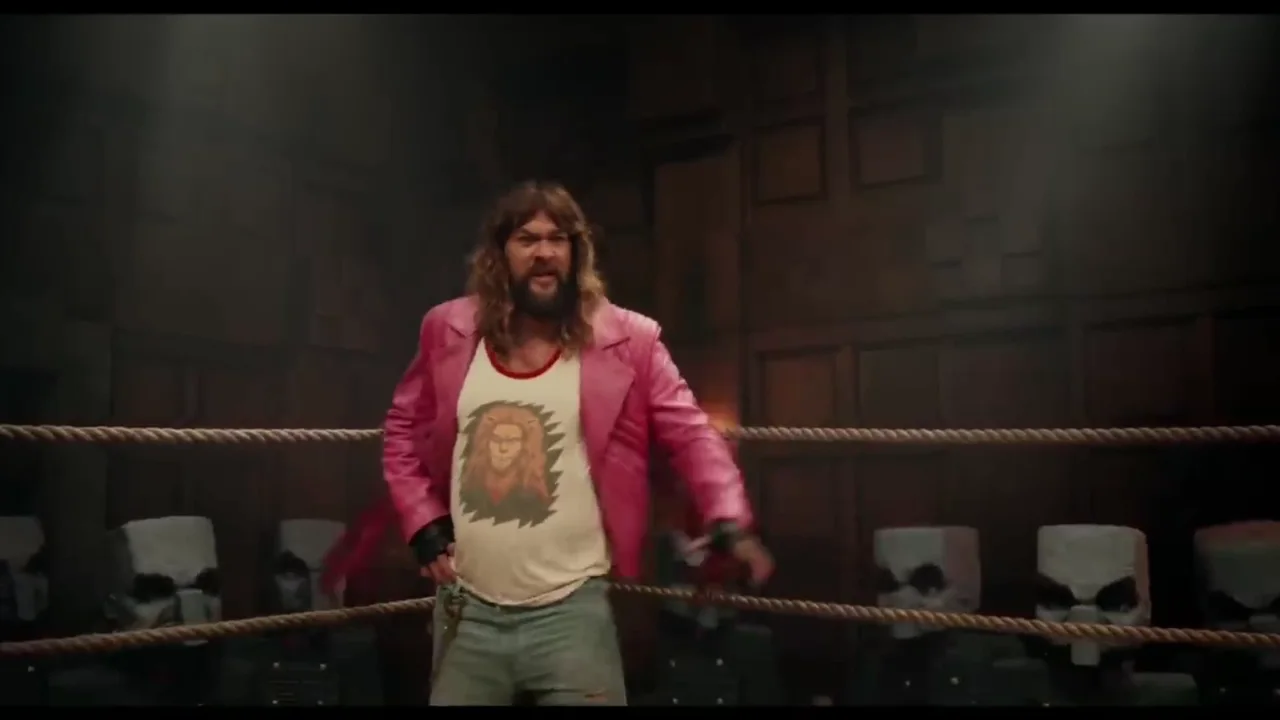
Guide Garret through a chaotic arena reveal while Steve explains the danger and the Chicken Jockey erupts into the scene with a recognizable shout. The Chicken Jockey dub game opens directly in your browser, so you can hear the cue, record the line, and review the result without installing a separate game.
lines
11
roles
3
duration
49 sec
Play the Native Browser Dub Stage
Choose a pack, hear each line, record your take, and compare timing and vocal energy.
Opening your saved dub project…
READY PROJECT loading video and recorded lines
OPENING YOUR DUB PROJECTYou will go directly to line recording.
Native Dub Stage
Community packs · free to play · no account
QUICK PREVIEW record, review, and download your finished dub
Browser dubbing game
Choicer Voicer
Microphone access is requested only after you press Record.
Record each line, review your result, and download the finished MP4. When you are signed in, the completed video saves to your account. Public sharing happens only when you choose a share action. Included packs retain their creator credits; verify media rights before publishing them.
QUICK ANSWER
What is this Chicken Jockey dub game?
This Chicken Jockey dub game is a browser voice-acting challenge built around Chicken Jockey Movie Scene. Choose from Steve, Garret, and the Chicken Jockey, hear each timed reference, record a take, and replay it before moving on. Scene order lets pauses and reactions build toward the shouted Chicken Jockey arrival.
Complete the Chicken Jockey dub game alone or divide the parts with friends. Solo players use repeatable physical cues; groups agree on pacing first. Every take can be reviewed and replaced for a quick attempt, focused practice, or competing versions of the scene.
Steve tries to explain the arena, Garret reacts with mounting confusion, and the scene accelerates into the arrival that turns the exchange into a meme payoff. The Chicken Jockey dub game presents every prepared line in scene order. Listen for the intention behind each cue, then answer in your own performance instead of copying only the pitch. That approach supports both a quick first take and a second version with clearer choices.
The early explanation needs clear words and quick handoffs, while the creature sounds and final shout need explosive energy without clipping the microphone. In the Chicken Jockey dub game, the caption and reference audio give you a practical timing target. Keep the first word clean, finish before the next cue, and let silence carry part of the scene. Connected reactions make the full sequence convincing.
Prepared roles
Steve
Garret
Chicken Jockey
STEP BY STEP
How to record this Pack
Listen to the reference voice and notice where the line starts and ends.
Record your take from a consistent distance to the microphone.
Review timing and clarity, then retry only the lines that need another take.
Complete every role and review the assembled scene before downloading.
DIRECTION
Performance direction for Chicken Jockey Movie Scene
Give Steve confident urgency, Garret an increasingly alarmed response, and the Chicken Jockey short physical sounds that stay controlled and safe. Use that contrast as the directing idea for the Chicken Jockey dub game. Choose one repeatable posture, pace, and energy level for each part. Consistent choices are more readable than an extreme impression that changes between takes.
Preview one reference before each Chicken Jockey dub game line, then perform the intention in your own voice.
Keep a steady microphone distance throughout the Chicken Jockey dub game, even when a character becomes louder.
Review the complete Chicken Jockey dub game once before replacing individual takes, because context changes how a line feels.
SCENE RHYTHM
Find the rhythm of the Chicken Jockey dub game
The early explanation needs clear words and quick handoffs, while the creature sounds and final shout need explosive energy without clipping the microphone. Begin the Chicken Jockey dub game by hearing the whole preview once. Notice which lines launch the idea, which answer it, and where a pause creates pressure or comedy. During the Chicken Jockey dub game, stay in character through those gaps instead of rushing to fill them.
Steve tries to explain the arena, Garret reacts with mounting confusion, and the scene accelerates into the arrival that turns the exchange into a meme payoff. Map that progression before the second Chicken Jockey dub game attempt. Establish the opening, make the middle more specific, and save the strongest choice for the shouted Chicken Jockey arrival. The Chicken Jockey dub game is easier to follow when each line changes the situation.
Listen through one complete Chicken Jockey dub game preview before recording the first final take.
Mark the longest pause in the Chicken Jockey dub game and decide what the character is thinking there.
Keep the strongest reaction for the moment when the scene actually changes.
ROLE DIRECTION
Separate the voices without forcing the Chicken Jockey dub game
Give Steve confident urgency, Garret an increasingly alarmed response, and the Chicken Jockey short physical sounds that stay controlled and safe. Build the first Chicken Jockey dub game pass from pace, focus, and posture rather than throat tension. When you replay the Chicken Jockey dub game, the roles should remain recognizable at ordinary volume without requiring perfect imitation.
Choose a safe vocal boundary for every role in the Chicken Jockey dub game. For a shout, increase intention before volume and move slightly away from the microphone. The Chicken Jockey dub game rewards clear words and believable reactions more than strain.
Give Steve one physical cue that stays constant through the Chicken Jockey dub game.
Give Garret a contrasting pace for an immediately readable Chicken Jockey dub game.
Stop and reset if a character choice feels tight, painful, or difficult to repeat.
RECORDING ROUTINE
Record a cleaner second pass
Check the microphone before the full Chicken Jockey dub game: speak one quiet line and one energetic line, then replay both normally. Start the Chicken Jockey dub game when first words are complete, room noise is manageable, and louder moments remain clear.
Record the Chicken Jockey dub game in small groups of connected lines. Review for late entrances, hidden final words, and inconsistent posture. Replace only a take with a specific problem. The Chicken Jockey dub game stays enjoyable when each revision has a clear reason.
Keep the same input level from the first Chicken Jockey dub game line to the last.
Name one reason before replacing a Chicken Jockey dub game take: timing, clarity, role, or energy.
Use headphones during review when speakers would feed the reference back into the microphone.
SOLO OR GROUP
Choose the cast for Chicken Jockey Movie Scene
A solo Chicken Jockey dub game works best when role changes are prepared before recording. Rehearse in scene order, then record by character or chronologically. Return to the same posture and cue word whenever a role reappears so the Chicken Jockey dub game keeps its continuity.
Assign Steve and Garret to two performers and let a third handle the creature sounds, or combine the Chicken Jockey with the person who has fewer spoken lines. For a group Chicken Jockey dub game, hear the opening and final lines before claiming roles. Rehearse transitions once and review the assembled scene together. The Chicken Jockey dub game improves when everyone protects the timing around the shouted Chicken Jockey arrival.
For a solo Chicken Jockey dub game, reset posture before every role change.
For a group Chicken Jockey dub game, agree on the scene's energy curve before recording.
Finish by watching the assembled scene rather than judging only favorite isolated lines.
Choose how you want to play
01
Record every Chicken Jockey Movie Scene role yourself
For a solo Chicken Jockey dub game, test Steve and Garret. Separate them with rhythm and posture before changing pitch. Write one cue word beside each role and check it before recording so repeated character changes remain coherent.
02
Turn Chicken Jockey Movie Scene into a group challenge
Assign Steve and Garret to two performers and let a third handle the creature sounds, or combine the Chicken Jockey with the person who has fewer spoken lines. Before the group Chicken Jockey dub game, rehearse the handoffs and agree on the energy curve. Everyone records separately but listens to neighboring cues, making the result one exchange rather than unrelated impressions.
BEFORE YOU FINISH
Chicken Jockey Movie Scene final review checklist for the Chicken Jockey dub game
Before completing the performance, play the full scene once. Check opening words, role continuity, pauses, microphone level, and the buildup to the shouted Chicken Jockey arrival.
The Chicken Jockey dub game begins with a complete first word and no accidental microphone noise.
Every recurring role in the Chicken Jockey dub game keeps a recognizable pace and intention.
The longest Chicken Jockey dub game pauses feel deliberate rather than empty or forgotten.
Louder lines remain clear and do not hide the final consonants.
The assembled scene builds toward the payoff instead of peaking too early.
How do I play this Chicken Jockey Movie Scene Pack?
Open the stage, listen to the current reference, record inside the timed cue, review the take, and continue until every prepared line is complete.
Can one person perform all Steve, Garret, and the Chicken Jockey?
Yes. Use posture, pace, and intention to separate roles, and avoid any pitch or volume choice that feels strained or difficult to repeat.
Can I replay or replace a Chicken Jockey dub game take?
Yes. The Chicken Jockey dub game lets you review a recorded line and make another take before you complete the full scene.
Is this an official Chicken Jockey Movie Scene game?
No. Choicer Voicer is an independent dubbing tool, and this community-contributed Pack is not presented as an official release or endorsement.
Credit and use of the material
This is a community-contributed Pack. Credit identifies the listed source, but does not imply ownership of underlying characters, video, audio, or other works. Choicer Voicer is an independent tool.